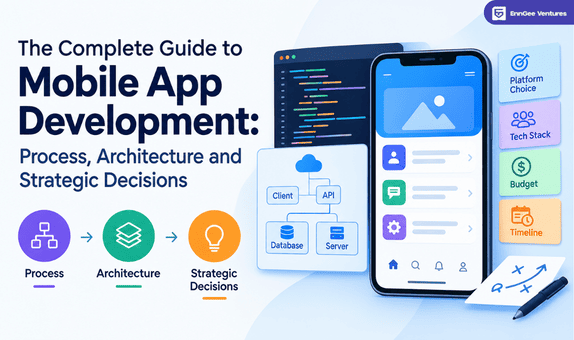
The Complete Guide to Mobile App Development: Process, Architecture and Strategic Decisions
Marketing Team
September 17, 2026 ∙
24 min read
At Enn Gee Ventures, we believe successful mobile apps are built on thoughtful planning, the right architecture, and a clear development strategy. This guide takes you through every stage of the mobile app development lifecycle, helping you understand the process, make informed decisions, and build scalable, user-focused applications that support long-term business growth.
An Introduction to Mobile App Development
Mobile app development is the process of creating applications for smartphones, tablets, and other mobile devices. It includes planning, designing, developing, testing, launching, and maintaining apps that provide users with seamless digital experiences. Today, businesses of all sizes use mobile apps to improve customer engagement, streamline operations, and support business growth.
The Importance of Mobile Apps in the Modern Digital Economy
Mobile apps have become an essential part of daily life, allowing users to shop, communicate, learn, and access services with ease. For businesses, they help improve customer engagement, strengthen brand presence, and create new opportunities for growth in an increasingly digital world.
The Evolution of Mobile Technology Over the Years
Mobile technology has evolved from basic communication devices to powerful smartphones capable of supporting advanced features like AI, cloud computing, 5G, and real-time connectivity. These advancements have made mobile apps faster, smarter, and more capable than ever before.
Understanding the Different Types of Mobile Applications
Mobile applications are generally classified into four types: native, cross-platform, hybrid, and progressive web apps (PWAs). Each offers different advantages based on factors such as performance, budget, development time, and business requirements.
Who Can Benefit from This Guide?
This guide is designed for entrepreneurs, business owners, startups, product managers, developers, and anyone interested in understanding how mobile applications are planned, built, and successfully launched.
What You’ll Discover in This Comprehensive Guide
This guide covers every stage of mobile app development, including planning, architecture, UI/UX design, development, testing, deployment, maintenance, and key strategies to help build reliable and successful mobile applications.
Understanding the Fundamentals of Mobile App Development
Mobile app development involves creating software applications that run on smartphones, tablets, and wearable devices. It covers everything from idea validation and UI/UX design to development, testing, deployment, and ongoing maintenance. Understanding the fundamentals helps businesses choose the right approach and build apps that deliver long-term value.
Understanding Mobile App Development
Mobile app development is the process of designing, building, testing, and maintaining applications for mobile devices. It combines user-focused design with technical expertise to create secure, high-performing, and engaging digital experiences across different platforms.
Mobile Apps, Web Apps, and Progressive Web Apps Compared
Although they serve similar purposes, mobile apps, web apps, and PWAs differ in how they are built and used. Native mobile apps are installed on a device and offer the best performance. Web apps run through a browser without installation, while Progressive Web Apps (PWAs) combine web accessibility with app-like features such as offline access and push notifications.
Native, Cross-Platform, and Hybrid App Development Explained
Native apps are built specifically for Android or iOS, delivering excellent performance and full device integration. Cross-platform apps use a single codebase for multiple platforms, reducing development time and costs. Hybrid apps combine web technologies with native capabilities, making them a practical option for businesses seeking faster deployment.
Essential Elements of the Mobile App Ecosystem
A mobile app ecosystem includes several interconnected components, including the frontend interface, backend servers, APIs, databases, cloud infrastructure, security systems, and app stores. Together, these elements ensure smooth functionality, data management, and a seamless user experience.
Emerging Trends in Mobile App Development
Mobile app development continues to evolve with technologies such as artificial intelligence (AI), 5G connectivity, cloud computing, augmented reality (AR), Internet of Things (IoT), and low-code development. These innovations are helping businesses create faster, smarter, and more personalized mobile experiences while improving efficiency and scalability.
Mobile App Development Market Overview
The mobile app industry continues to grow as businesses and consumers increasingly rely on mobile technology for communication, shopping, entertainment, healthcare, education, and financial services. Understanding market trends helps organizations identify new opportunities and build applications that meet changing user expectations.
Mobile App Industry Growth and Adoption
The demand for mobile applications has increased significantly across industries. Businesses of all sizes are investing in mobile solutions to improve customer engagement, streamline operations, and expand their digital presence.
Consumer Behavior and Mobile Usage Trends
Modern consumers spend a significant amount of time on mobile devices for everyday activities. They expect fast, secure, and user-friendly applications that offer personalized experiences and seamless performance.
The Rise of Enterprise Mobile Solutions
Organizations are adopting mobile applications to improve workforce productivity, simplify internal processes, and enhance customer services. Enterprise mobility has become an essential part of digital transformation strategies.
Emerging Technologies Transforming Mobile Development
Technologies such as Artificial Intelligence (AI), 5G, cloud computing, the Internet of Things (IoT), and Augmented Reality (AR) are reshaping mobile app development by enabling smarter features and improved user experiences.
The Future of Mobile App Development
The future of mobile app development will focus on intelligent automation, stronger security, personalized experiences, and deeper integration with advanced technologies, allowing businesses to deliver more innovative digital solutions.
Building a Successful Mobile App Strategy
A clear strategy is the foundation of every successful mobile application. Before development begins, businesses should define their goals, understand their audience, evaluate market opportunities, and identify what makes their app unique.
Setting Clear Business Goals
Start by identifying the purpose of your mobile app. Whether the objective is increasing sales, improving customer engagement, or streamlining operations, clear goals help guide every stage of development.
Knowing Your Target Users
Understanding your target audience allows you to design features and experiences that address user needs, preferences, and challenges, resulting in higher engagement and satisfaction.
Conducting Market and Competitor Research
Researching market trends and analyzing competitors helps identify customer expectations, industry gaps, and opportunities to build a more competitive mobile application.
Selecting the Right Business Model
The business model determines how your app creates value and generates revenue. Common options include subscriptions, in-app purchases, advertisements, freemium models, and paid applications.
Defining Your Unique Value Proposition (UVP)
A strong Unique Value Proposition (UVP) explains why users should choose your app over others. It should clearly highlight the key benefits, solve a specific problem, and communicate the value your application delivers.
Mobile App Development Lifecycle
A successful mobile app follows a structured development lifecycle that transforms an idea into a fully functional product. Each stage plays a vital role in ensuring the app meets business objectives, delivers a great user experience, and performs reliably after launch.
Discovery and Ideation
The discovery phase focuses on understanding the app idea, business goals, target audience, and market opportunities. It helps define the project’s scope and lays the foundation for successful development.
Planning and Requirements Analysis
During this stage, developers and stakeholders gather functional and technical requirements, prioritize features, estimate timelines, and create a development roadmap to guide the project.
UI/UX Design
The design phase involves creating wireframes, prototypes, and user interfaces that provide an intuitive and engaging experience. A well-designed app improves usability and user satisfaction.
Application Development
Developers build the frontend and backend components, integrate APIs, implement core features, and ensure the application functions smoothly across supported platforms and devices.
Testing and Quality Assurance
Before launching the app undergoes thorough testing to identify and fix bugs, improve performance, verify security, and ensure compatibility across different devices and operating systems.
App Deployment and Launch
Once testing is complete, the application is deployed to platforms such as the App Store and Google Play. The launch process includes final reviews, approvals, and release to end users.
Maintenance and Continuous Improvement
After launching regular updates, performance monitoring, bug fixes, security enhancements, and feature improvements help keep the application reliable, secure, and aligned with evolving user needs and business goals.
Planning Your Mobile App Project
Proper planning helps reduce development risks, manage costs, and keep the project aligned with business goals. A well-defined plan ensures that every stage of development is organized and focused on delivering value to users.
Creating a Product Requirements Document (PRD)
A Product Requirements Document (PRD) outlines the app’s objectives, features, functionality, technical requirements, and project scope. It serves as a roadmap for developers, designers, and stakeholders.
Building User Personas
User personas are fictional profiles that represent your target audience. They help teams understand user needs, behaviors, goals, and pain points, leading to more user-centric app experiences.
Defining User Stories
User stories describe how users interact with the app from their perspective. They help development teams prioritize features and build solutions that address real user needs.
Prioritizing Features
Not every feature needs to be developed initially. Prioritizing features based on business value, user demand, and technical complexity helps deliver a more focused and efficient product.
Developing a Product Roadmap
A product roadmap outlines project milestones, development phases, release timelines, and future enhancements, ensuring the entire team stays aligned throughout the development process.
MVP vs. Full Product Launch
A Minimum Viable Product (MVP) includes only essential features needed to validate an app’s idea, while a full product launch delivers a complete feature set. Choosing the right approach depends on your goals, budget, and time to market.
Understanding Mobile App Architecture
Mobile app architecture is the structural framework that defines how different components of an application work together. A well-designed architecture improves performance, scalability, security, and long-term maintainability.
What Is a Mobile App Architecture?
Mobile app architecture is the blueprint of an application, defining how the frontend, backend, databases, APIs, and infrastructure interact to deliver a seamless user experience.
Why Scalable Architecture Matters
Scalable architecture allows an application to support increasing users, data, and features without affecting performance. It also simplifies future updates and business growth.
Client Layer
The client layer is the user-facing part of the application. It includes the interface, navigation, and interactions that users experience on their mobile devices.
Application Layer
The application layer processes business logic, manages workflows, validates user actions, and connects the frontend with backend services.
Data Layer
The data layer is responsible for storing, retrieving, and managing application data using databases, local storage, and caching mechanisms to ensure fast and reliable access.
Backend Layer
The backend layer handles server-side operations, user authentication, APIs, database communication, and business processes that support the application’s core functionality.
Cloud Infrastructure
Cloud infrastructure provides scalable computing resources, storage, security, backups, and high availability, enabling mobile applications to operate efficiently across different regions and workloads.
Mobile App Architecture Best Practices
Effective architecture follows best practices such as modular design, secure data handling, API optimization, performance monitoring, cloud scalability, and regular maintenance to ensure long-term reliability and easier future development.
Common Types of Mobile App Architectures
Choosing the right mobile app architecture is essential for building applications that are reliable, scalable, and easy to maintain. Each architectural pattern offers unique advantages depending on the app’s complexity, performance requirements, and long-term business goals.
Monolithic Architecture
Monolithic architecture combines all application components into a single codebase. It is simple to develop and deploy smaller applications but can become difficult to scale and maintain as the app grows.
Layered Architecture
Layered architecture separates the application into distinct layers, such as presentation, business logic, and data. This improves code organization, simplifies maintenance, and makes future updates easier.
MVC (Model-View-Controller) Architecture
MVC divides an application into three components: the Model manages data, the View handles the user interface, and the Controller processes user input. This structure improves code organization and supports easier maintenance.
MVP (Model-View-Presenter) Architecture
MVP separates the user interface from business logic through a Presenter component. This approach improves testability, reduces code dependency, and makes applications easier to maintain.
MVVM (Model-View-ViewModel) Architecture
MVVM introduces a ViewModel that connects the user interface with application data. It supports better state management, cleaner code, and is widely used in modern Android and iOS development.
Clean Architecture
Clean Architecture organizes code into independent layers with clear responsibilities. It improves scalability, simplifies testing, and allows developers to modify one part of the application without affecting others.
Microservices-Based Architecture
Microservices architecture breaks an application into independent services that communicate through APIs. This approach improves scalability, enables faster updates, and allows teams to develop and deploy services independently.
Event-Driven Architecture
Event-driven architecture enables different application components to communicate by responding to events in real time. It is commonly used in applications that require instant notifications, live updates, messaging, or real-time data processing.
Choosing the Right Mobile Development Approach
Selecting the right development approach depends on your business goals, budget, target audience, and technical requirements. Each approach offers different advantages in terms of performance, development time, and maintenance.
Native App Development
Native development creates applications specifically for Android or iOS. It delivers the best performance, enhanced security, and full access to device features, making it ideal for feature-rich applications.
Cross-Platform App Development
Cross-platform development uses a single codebase to build apps for multiple platforms. It reduces development time and costs while maintaining a consistent user experience.
Hybrid App Development
Hybrid apps combine web technologies with native capabilities. They are a practical option for businesses looking for faster development and lower initial investment.
Progressive Web Apps (PWAs)
PWAs are web applications that provide app-like experiences through a browser. They support features such as offline access, push notifications, and responsive design without requiring installation from an app store.
Factors to Consider When Choosing an Approach
When selecting a development approach, consider factors such as project complexity, budget, development timeline, performance expectations, scalability, maintenance, and user experience.
Comparing Cost and Performance
Native apps generally provide the highest performance but require separate development for each platform. Cross-platform and hybrid solutions reduce costs and development time, while PWAs offer an affordable option for simpler applications with broad accessibility.
Mobile App Technology Stack
A mobile app technology stack consists of the tools, frameworks, programming languages, and services used to build and maintain an application. Choosing the right stack ensures better performance, security, and scalability.
Frontend Technologies
Frontend technologies are responsible for the app’s user interface and interactions. Popular options include Flutter, React Native, SwiftUI, Jetpack Compose, and Kotlin.
Backend Technologies
Backend technologies manage business logic, authentication, databases, and server-side operations. Common choices include Node.js, .NET, Python, Java, and PHP.
Programming Languages
Mobile apps are developed using languages such as Swift for iOS, Kotlin for Android, Java, Dart, JavaScript, and TypeScript, depending on the development approach.
Databases
Databases store and manage application data. Popular options include MySQL, PostgreSQL, MongoDB, Firebase Firestore, and SQLite.
APIs
APIs enable communication between the mobile app and external services, allowing features such as payment processing, authentication, location services, and real-time data exchange.
Cloud Services
Cloud platforms provide hosting, storage, backups, scalability, and security. Services such as AWS, Microsoft Azure, and Google Cloud help applications perform reliably across different environments.
DevOps Tools
DevOps tools automate development, testing, deployment, and monitoring. They improve collaboration, reduce errors, and accelerate software delivery.
Third-Party Integrations
Third-party integrations add features such as payment gateways, maps, analytics, messaging, social logins, and customer support without building them from scratch.
UI/UX Design Principles
A well-designed user interface and user experience make mobile applications easier to use, more engaging, and more effective. Good design improves customer satisfaction and encourages long-term user retention.
User-Centered Design
User-centered design focuses on understanding user needs, behaviors, and expectations to create intuitive and meaningful mobile experiences.
Wireframing
Wireframes provide a basic visual layout of the application, helping teams plan screen structures and user flows before development begins.
Prototyping
Prototypes simulate how the app will function, allowing stakeholders to test interactions and gather feedback before full-scale development.
Navigation Design
Clear navigation helps users move through the application easily, improving usability, and reducing confusion.
Accessibility
Accessible design ensures that the application can be used by people with different abilities through features such as readable text, voice support, and accessible navigation.
Design Systems
A design system provides reusable components, style guidelines, and UI standards that maintain consistency throughout the application.
Mobile Design Best Practices
Following best practices such as responsive layouts, simple interfaces, fast loading times, consistent branding, and intuitive interactions help create mobile apps that deliver an excellent user experience.
Mobile App Development Process in Detail
A structured development process helps teams build high-quality mobile applications efficiently. Following industry best practices improve collaboration, code quality, and overall project success.
Setting Up the Development Environment
The first step is configuring the required tools, SDKs, frameworks, and development environments to ensure a smooth development workflow.
Following Coding Standards
Using consistent coding standards improves code readability, reduces errors, and makes collaboration easier across development teams.
Managing Code with Version Control
Version control systems like Git help developers track code changes, collaborate efficiently, and restore previous versions when needed.
Adopting Agile Development
Agile development breaks projects into smaller iterations, allowing teams to adapt quickly, gather feedback, and deliver features continuously.
Planning Development Sprints
Sprint planning organizes tasks into short development cycles, helping teams prioritize features and meet project deadlines efficiently.
Implementing Continuous Integration (CI)
Continuous Integration automatically builds and tests code whenever changes are made, helping identify issues early in development.
Enabling Continuous Deployment (CD)
Continuous Deployment automates the release process, allowing updates and new features to reach users faster while maintaining application stability.
Backend Development Essentials
The backend powers the core functionality of a mobile application by managing data, business logic, user authentication, and communication between servers and mobile devices.
Server Architecture
Server architecture defines how backend services are structured to ensure reliability, scalability, and efficient application performance.
Authentication and Authorization
Authentication verifies user identity, while authorization controls access to application features and resources based on user permissions.
API Development
APIs enable seamless communication between the mobile app, backend systems, and third-party services for data exchange and functionality.
Push Notifications
Push notifications allow businesses to send real-time updates, reminders, and personalized messages that improve user engagement.
File Storage
File storage systems securely manage user uploads, images, documents, videos, and other digital assets within the application.
Payment Gateway Integration
Payment gateways enable secure online transactions by supporting multiple payment methods while protecting sensitive financial information.
Building Real-Time Features
Real-time functionality supports instant messaging, live tracking, notifications, and collaborative experiences through continuous data updates.
Database Selection and Data Management
Selecting the right database ensures efficient data storage, fast retrieval, and reliable application performance while supporting future growth.
SQL vs. NoSQL Databases
SQL databases use structured tables, while NoSQL databases offer greater flexibility for handling large volumes of unstructured or rapidly changing data.
Local Data Storage
Local storage allows applications to save data directly on the device, improving offline functionality, and reducing network dependency.
Cloud Databases
Cloud databases provide scalable, secure, and centralized data storage that can be accessed across multiple devices and locations.
Data Synchronization
Data synchronization keeps information consistent across devices and backend servers, ensuring users always access the latest data.
Backup and Recovery
Regular backups and recovery strategies protect application data from accidental loss, system failures, or unexpected incidents.
Database Performance Optimization
Optimizing database queries, indexing, and caching improves response times, scalability, and overall application performance.
Mobile App Security Best Practices
Strong security protects user information, maintains trust, and helps businesses comply with industry regulations throughout the app lifecycle.
Understanding Common Security Threats
Mobile apps face threats such as malware, data breaches, insecure APIs, and unauthorized access that can compromise sensitive information.
Implementing Secure Authentication
Secure authentication methods, including multi-factor authentication and biometric verification, help protect user accounts from unauthorized access.
Protecting Data Through Encryption
Encryption safeguards sensitive information during storage and transmission, reducing the risk of data exposure.
Securing APIs
API security involves authentication, authorization, encryption, and request validation to prevent unauthorized access and attacks.
Following Secure Coding Practices
Writing secure code helps minimize vulnerabilities, reduce security risks, and improve the application’s overall reliability.
Meeting Compliance Requirements
Following standards such as GDPR, HIPAA, and PCI DSS help businesses protect user data and comply with legal requirements.
Conducting Security Testing
Security testing identifies vulnerabilities before release, helping developers strengthen the application of defenses against potential threats.
Mobile App Testing Strategy
Comprehensive testing ensures a mobile application functions correctly, performs efficiently, and delivers reliable user experience across devices.
Functional Testing
Functional testing verifies that every feature works according to the defined requirements and user expectations.
User Interface (UI) Testing
UI testing evaluates layouts, navigation, responsiveness, and visual consistency to ensure a smooth user experience.
Performance Testing
Performance testing measures speed, stability, responsiveness, and resource usage under different workloads.
Security Testing
Security testing identifies vulnerabilities and validates that user data and application resources remain protected.
Device Compatibility Testing
Compatibility testing ensures that the application performs consistently across different smartphones, tablets, operating systems, and screen sizes.
Automation Testing
Automation testing uses testing tools to execute repetitive test cases efficiently, improving accuracy, and reducing testing time.
Beta Testing
Beta testing releases the application to a limited group of users to collect feedback, identify issues, and refine the app before the official launch.
Performance Optimization Techniques
Optimizing performance ensures your app runs smoothly, loads quickly, and delivers a better user experience across different devices and network conditions.
Improving Loading Speed
Reduce startup time through efficient coding, caching, and optimized resources.
Memory Management
Optimize memory usage to prevent crashes and ensure smooth multitasking.
Battery Optimization
Minimize background activity and resource consumption to improve battery life.
Offline Support
Allow users to access essential features even without an internet connection.
Network Optimization
Reduce API requests and compress data to improve performance on slower networks.
Image Optimization
Use compressed and responsive images to improve loading speed without sacrificing quality.
Code Optimization
Write clean, efficient, and maintainable code to enhance performance and scalability.
Publishing Your Mobile App
Publishing involves preparing your application for review, meeting platform requirements, and ensuring a successful launch.
Preparing for Launch
Perform final testing, fix bugs, and verify all app features before release.
Google Play Store Guidelines
Follow Google’s policies, content standards, and submission requirements for Android apps.
Apple App Store Guidelines
Ensure your iOS app meets Apple’s design, security, and review guidelines.
App Store Optimization (ASO)
Optimize your app’s title, description, keywords, and visuals to improve discoverability.
Launch Checklist
Review testing, metadata, permissions, security, and store assets before publishing.
Common Publishing Mistakes
Avoid incomplete information, policy violations, and insufficient testing before submission.
Mobile App Marketing Strategy
An effective marketing strategy helps attract users, increase downloads, and improve long-term engagement.
Pre-Launch Marketing
Build awareness through landing pages, teasers, and early sign-ups before launching.
Content Marketing
Share blogs, videos, and educational content to promote your application.
Social Media Promotion
Use social media platforms to reach and engage your target audience.
Paid Advertising
Run targeted advertising campaigns to increase app visibility and downloads.
Influencer Marketing
Collaborate with influencers to build credibility and reach new users.
Email Marketing
Keep users informed about updates, offers, and new features through email campaigns.
Referral Programs
Encourage existing users to invite others by offering rewards or incentives.
Measuring App Success
Tracking performance helps businesses evaluate user behavior and improve their applications over time.
Key Performance Indicators (KPIs)
Measure overall app performance using business and user-focused metrics.
User Acquisition Metrics
Track downloads, installs, and customer acquisition sources.
Engagement Metrics
Monitor user activity, session duration, and feature usage.
Retention Metrics
Measure how many users continue using the app over time.
Revenue Metrics
Track revenue from subscriptions, purchases, and advertisements.
Analytics Tools
Use analytics platforms to monitor performance and user behavior.
Continuous Improvement
Regularly analyze feedback and performance data to improve the app.
Cost of Mobile App Development
The cost of developing a mobile app depends on project requirements, technology choices, and development complexity.
Factors Affecting Development Cost
Features, platform, design, integrations, and team size influence overall costs.